
Run your Backblaze account, don’t just browse it
Bucketree is a native Mac app for seeing what is really in your Backblaze B2 account, what is still costing you, and the settings protecting files you are responsible for.
macOS 26 or later, Apple silicon. Signed and notarized.
NATIVE MAC CLIENT FOR BACKBLAZE B2
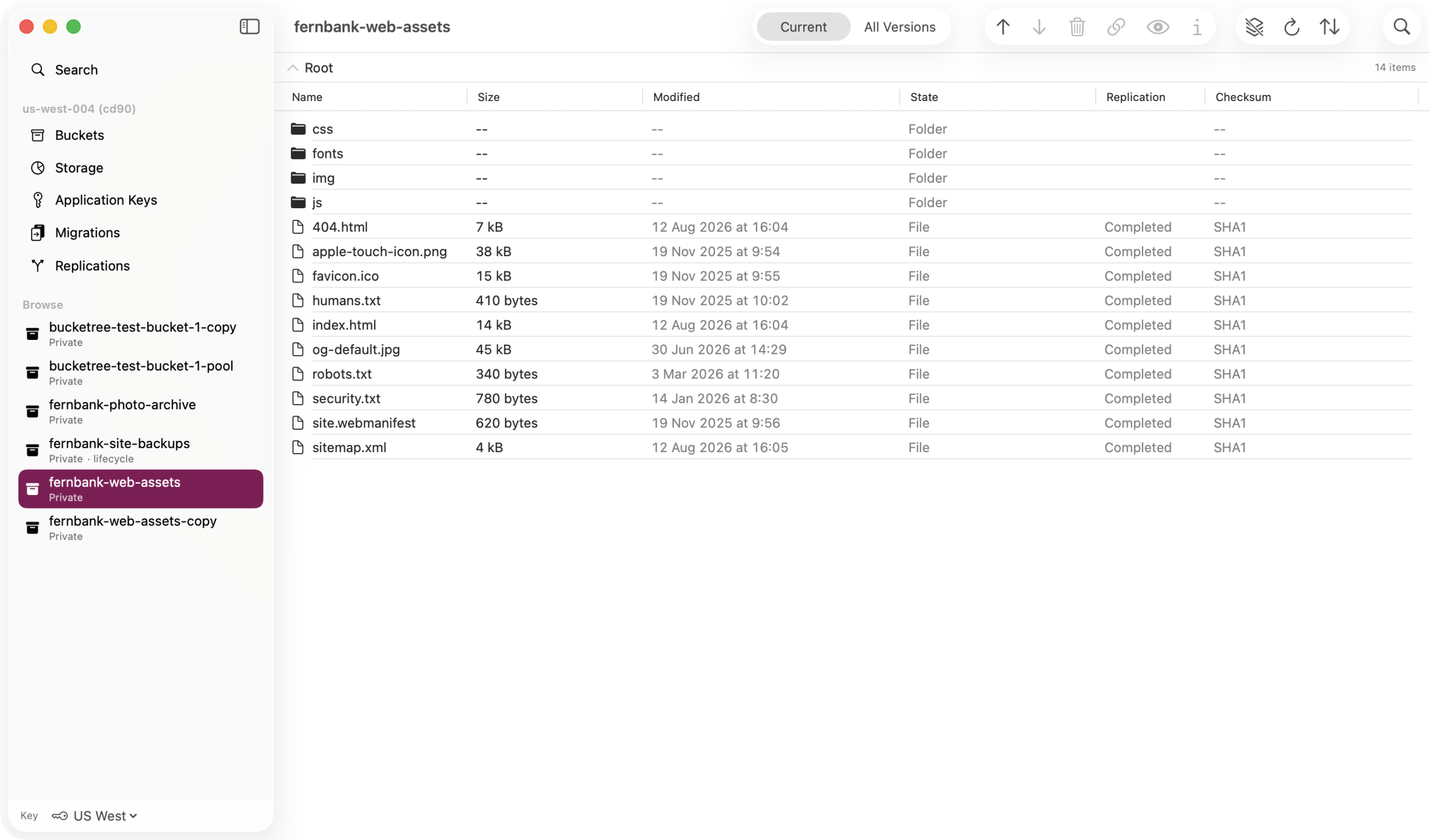
What it does that the console cannot
Why Bucketree
The console cannot search, cannot delete a full bucket, and hides what you are paying for. Bucketree can, and says what it is doing.
Search every bucket you have
One search over every bucket, by name, size, date, kind or encryption, then act on what it finds.
Move a bucket without moving a byte
Backblaze copies it on its own servers; Bucketree sets it up, counts first, and finishes the job.
Copies you can trust, because you were told first
Replication in six steps, with every count shown before it starts.
Delete the bucket the console refuses to
Every version, every marker, every unfinished upload, one confirmation, then gone.
Stop paying for what you cannot see
Old versions, hidden files and abandoned uploads, found by group and removed on your say.
Keys made, scoped and revoked
No browser. Presets, the secret shown once, and no key can grant more than its maker.
Coming soon
An MCP server that never sees your key
Let Claude, or any MCP client on your Mac, work in your buckets with the key Bucketree holds, which it never sees. First update after launch.
Working with B2
Your account is more than files
B2 is cheap, well built and fast. It also has a handful of behaviours that catch everyone once, and every one of them either costs money or loses a file.
The listing can be older than your upload
Some clients keep folder listings and reuse them between sessions. You upload a file, come back, and it is missing. It is not missing. You are looking at yesterday.
An interrupted upload keeps billing you
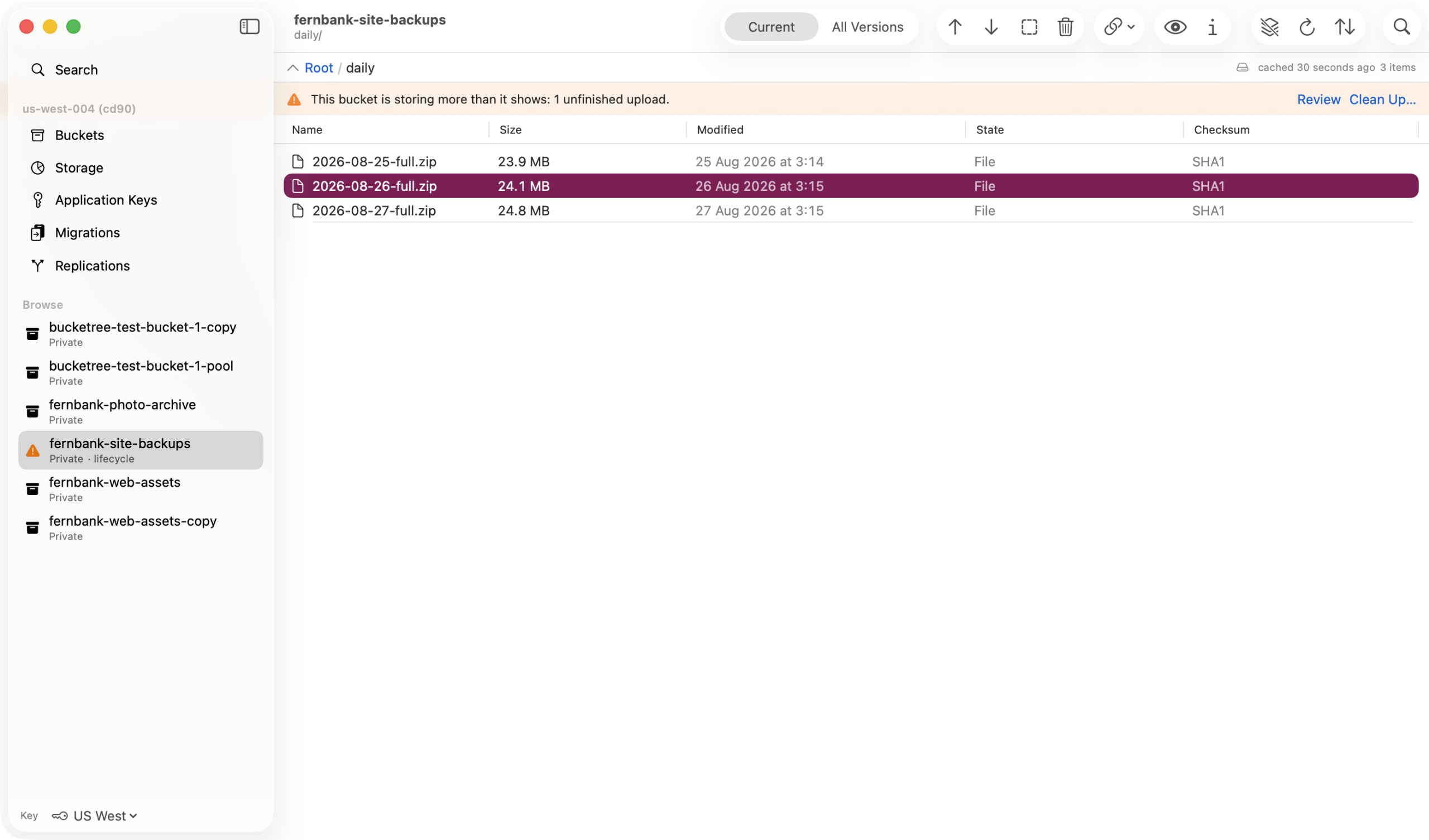
Stop a large upload halfway and the parts already sent stay in your bucket. They do not appear when you browse. They appear on your bill.
Set 30 and 7, and it goes after 37 days
B2 lifecycle has two clocks, not one. Days from uploading to hiding, then days from hiding to deleting. No field on any form shows you the total.
Bucketree puts the whole management surface in the app, next to the files it governs.
Application keys
Make and scope your keys without leaving the app
The standard advice is to make a key per purpose and give it only what it needs. Sensible, and every client tells you to do it, then sends you to a browser to actually do it. The best known Mac client cannot create, list or revoke a B2 key at all.
What each key permits, at a glance
Every key is listed with what it permits and which buckets it can reach. The details sheet carries the full capability set, so a capability Backblaze adds later appears under its own name rather than vanishing.
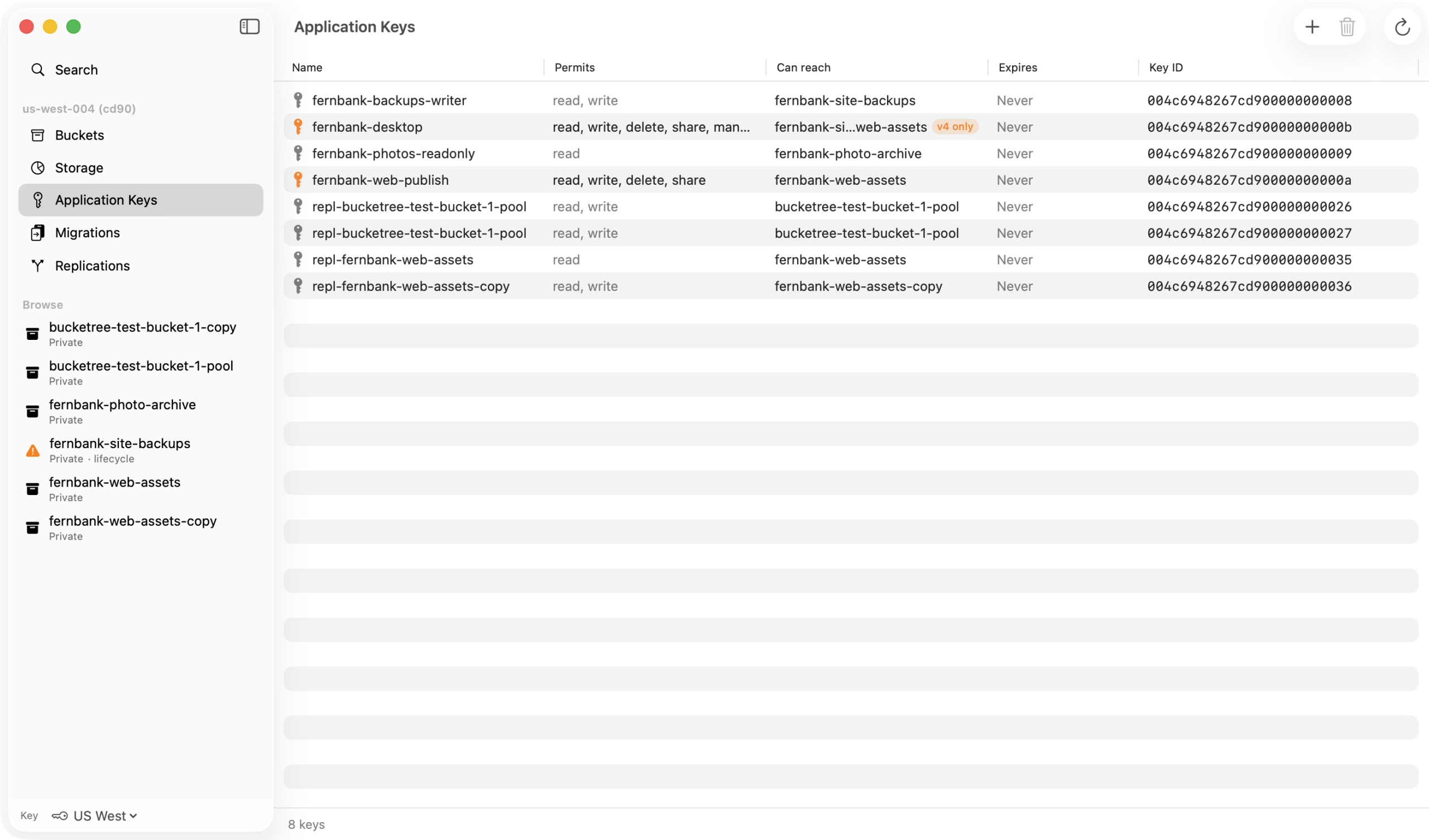
A key can never grant more than its creator
The form narrows your choice to what you actually hold, and says when it has done so, instead of sending a request B2 will refuse.
The secret is shown once
B2 returns it exactly once and no listing ever returns it again. The sheet will not let you dismiss it by clicking away, and one button copies the key name, the key ID and the secret together.
Presets, not twenty-three checkboxes
Showing every capability equally is how everyone ends up ticking all of them. Presets make the narrow choice the easy one, and you can still grant everything when that is what you actually want.
Revoke it when the job is done
Read only, read and write, full control, or choose capabilities one at a time. Restrict a key to one bucket or to a name prefix, and revoke it the day the script it was for is finished.
The management surface
Everything else B2 lets you configure
Buckets, lifecycle rules, Object Lock, default retention, retention and legal hold per file, and server side encryption. Created, edited and read back in the app.
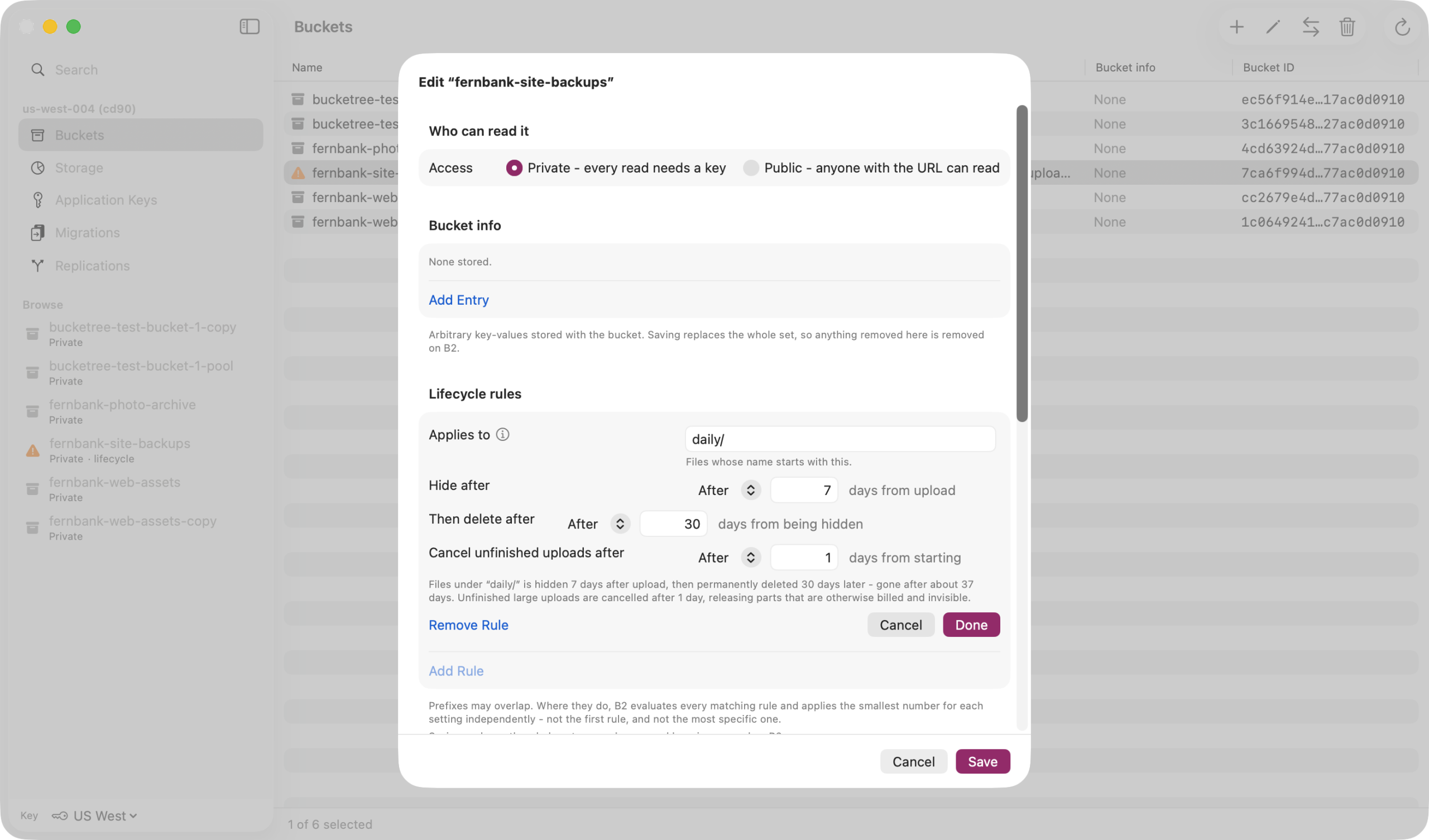
Lifecycle rules, both clocks
B2 has two clocks, not one. Bucketree gives each its own field and states the total in a sentence underneath, then names the expensive mistake out loud: hiding files with no rule to delete them keeps every version billed indefinitely.
Object Lock and retention
Enabling Object Lock cannot be undone, so the sheet says so before you do it. A bucket with lock enabled and no default retention is reported as protecting nothing, which is what Backblaze warns and what most tools show as simply on.
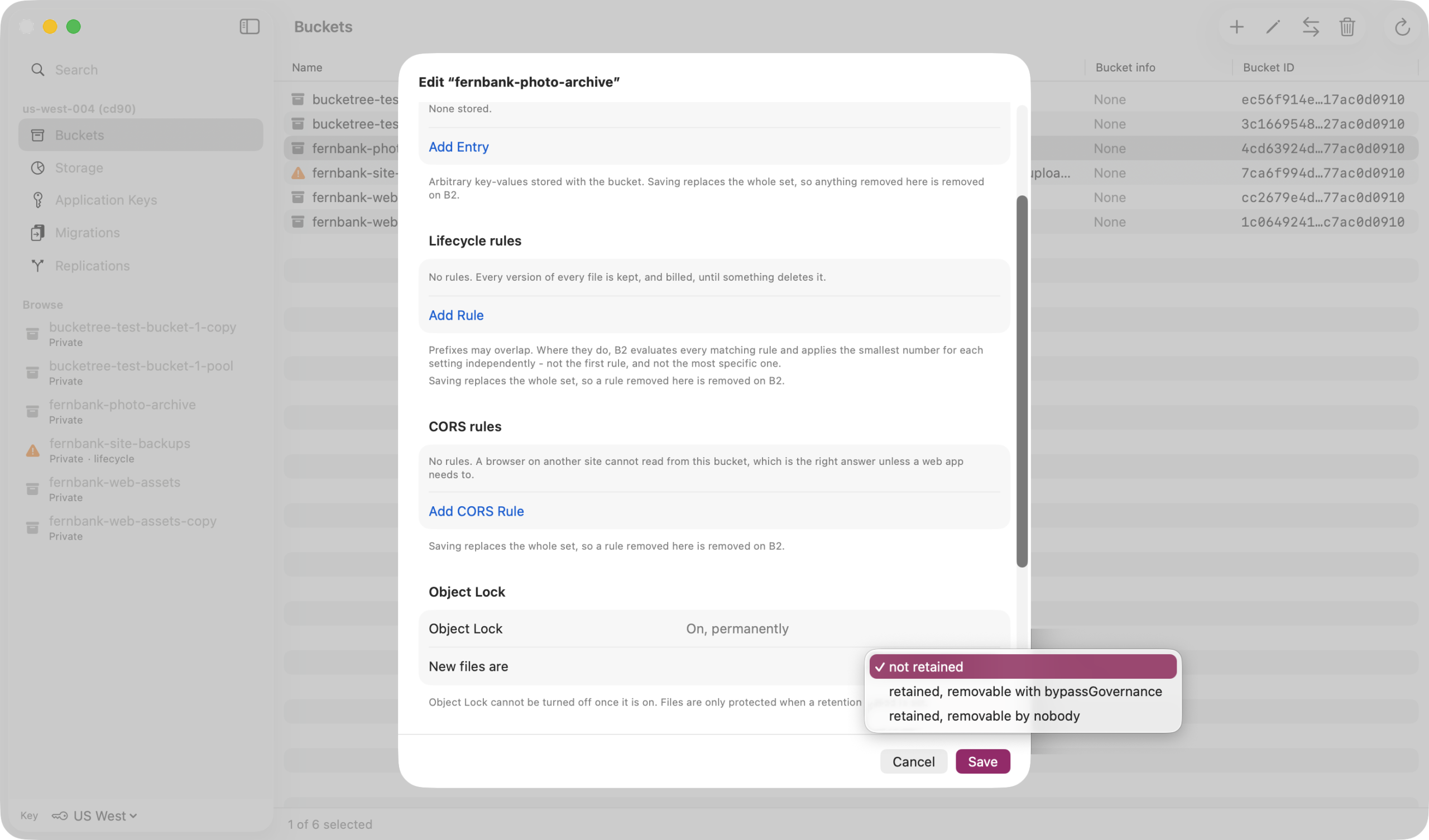
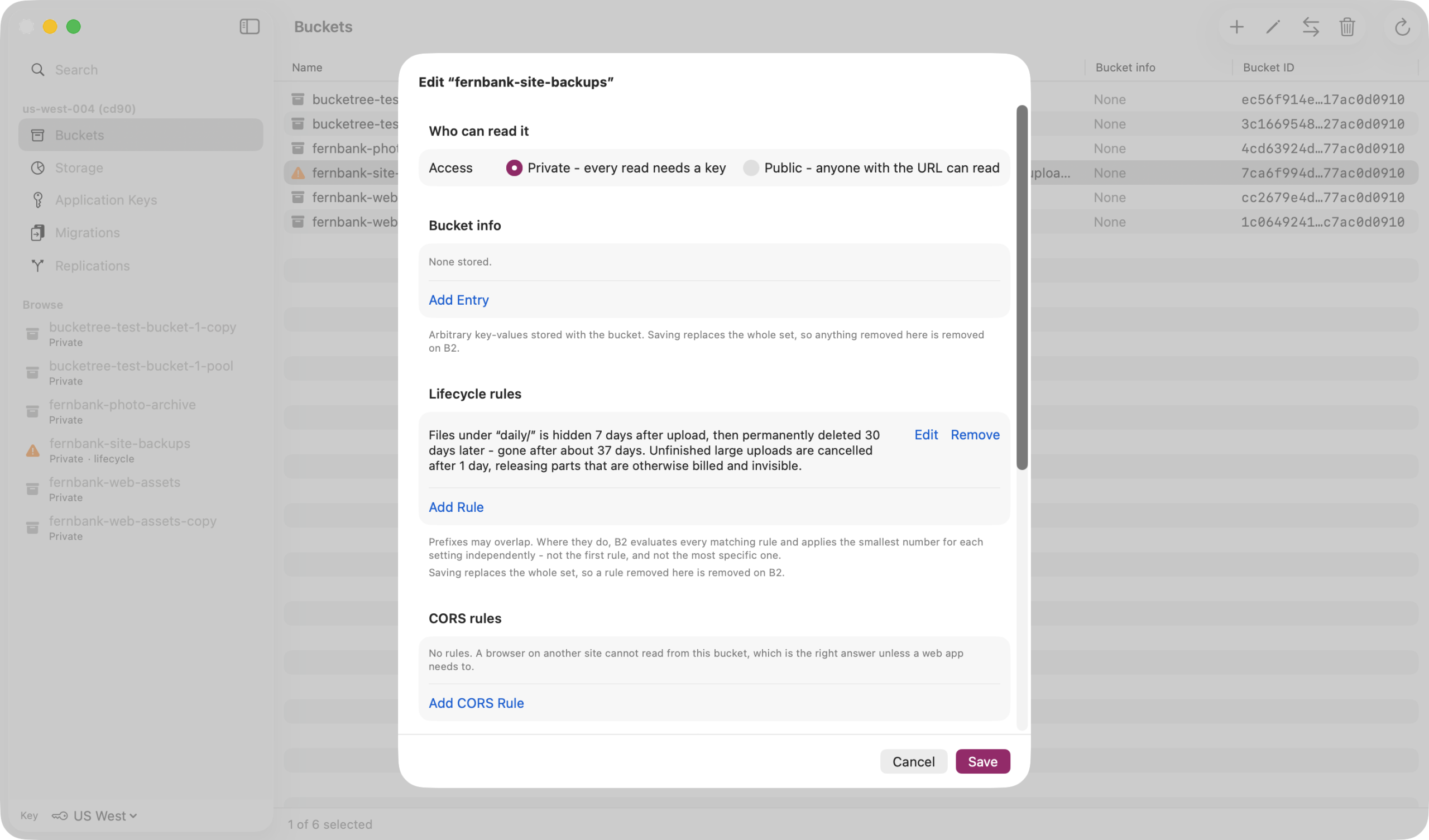
All of it in one sheet
One sheet per bucket, with every setting the B2 native API exposes. A key that cannot read a setting is reported as unable to read it, never as though the setting were off.
Quick Look
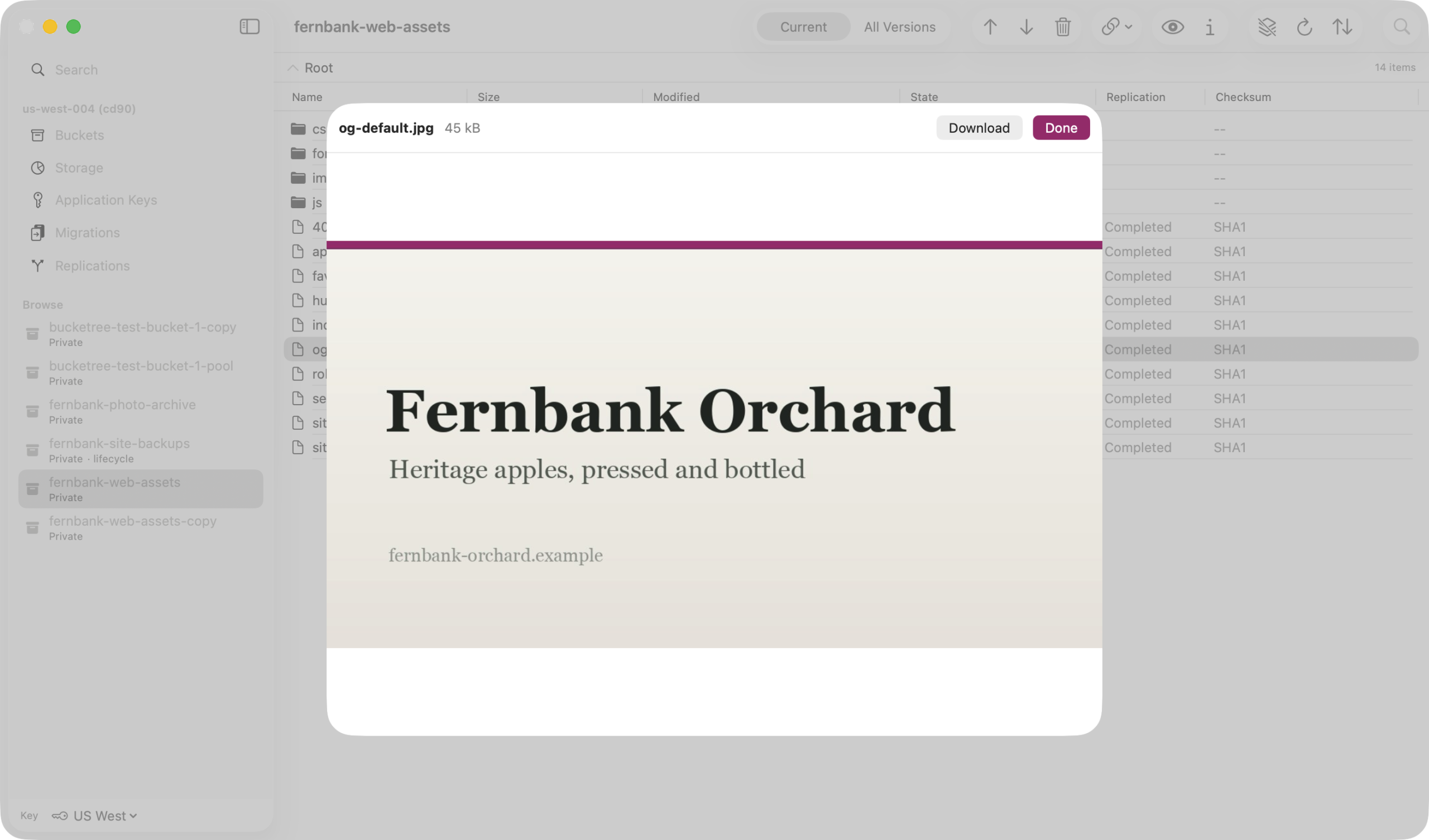
Preview a file without downloading it
Press Space on a file in the bucket. Bucketree fetches it and shows it, with no destination prompt and nothing left in your Downloads folder.
Nothing to clean up afterwards
The cache is keyed by the B2 file id, which names one immutable version, so what you looked at can never go stale. Over 50 MB it asks first, and says that it counts as egress.
Why other clients cannot do this
Built for B2, not for twelve protocols
None of this is difficult because B2 is difficult. It is missing from other clients because they are not B2 clients. They speak FTP, SFTP, S3, WebDAV, Google Storage and B2 through one interface, and what fits in that interface is what all of those have in common.
1
Application keys
Not in the intersection, so they cannot manage them. Drive an S3-first client against a live B2 bucket and its inspector offers Storage Class, Transfer Acceleration and MFA Delete, all greyed out, because none of them are B2 concepts.
2
CORS rules the console cannot write
Backblaze’s own console offers four presets and states that rules written through the API are not reflected there. The standard console has no CORS interface at all. Bucketree writes them properly, and groups the operations by API family, because a rule permitting every native operation still blocks a browser on the S3 endpoint.
3
Hide markers, and two clocks
B2 concepts with no S3 equivalent get flattened or vanish. One lifecycle editor offers a transition to Glacier, which B2 does not have, and treats file revisions as a display toggle for hidden files, which exposes B2’s hide markers.
Bucketree does B2, and all of B2. One window for six protocols at once is a different kind of tool.
What it costs you
What you are storing, and the part you cannot see
It reports what you are storing, not what you were charged. Backblaze publishes no billing endpoint, so anything claiming to show your bill is guessing. The storage rate is a setting you take from your own invoice.
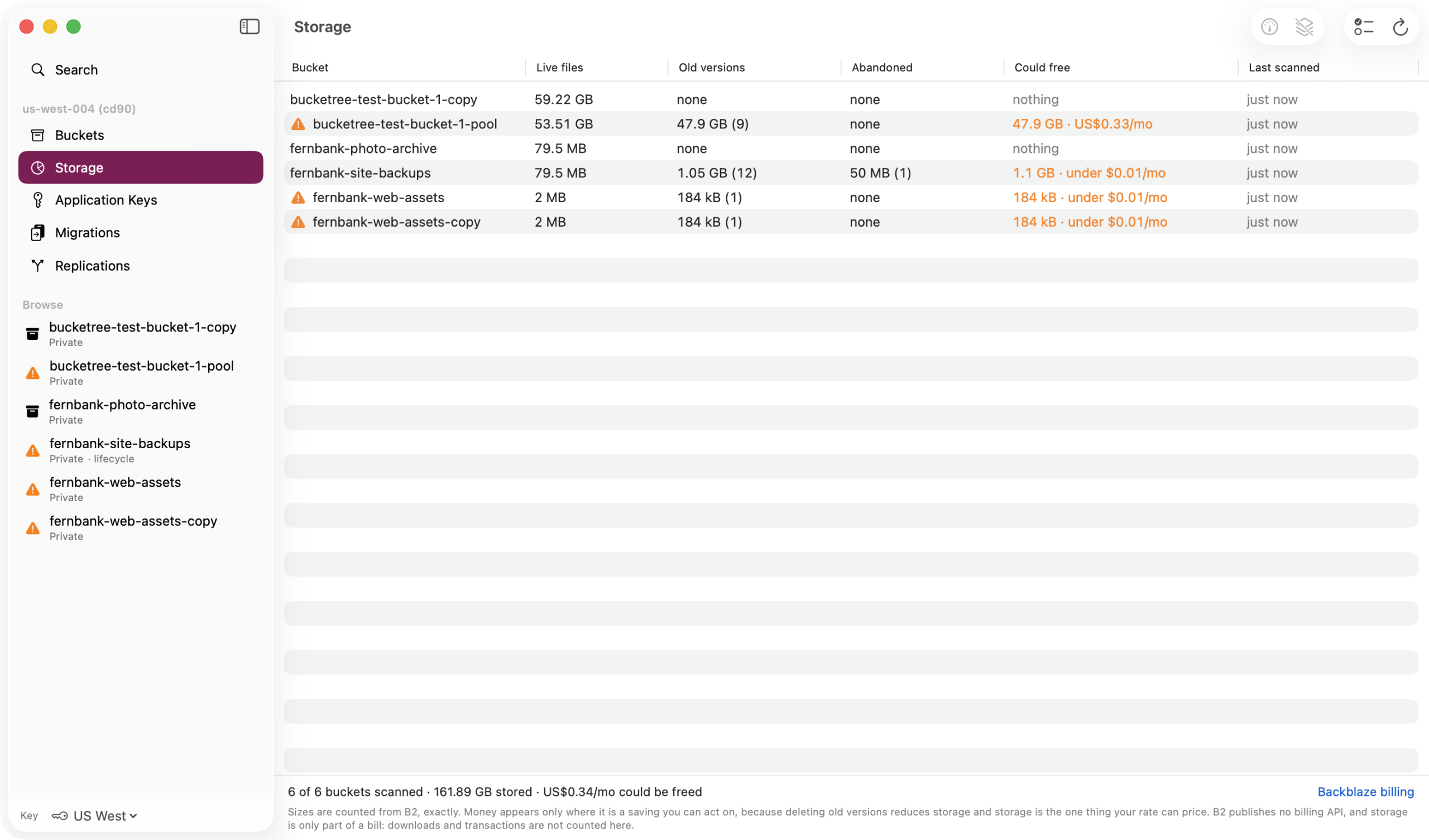
Exact, not estimated
The Storage pane counts what is really in a bucket by walking it, so the number is exact. It is opt in per bucket, because on a large bucket that walk costs listing transactions, and cost should never ride on an impatient click.
The part that is invisible everywhere else
Abandoned upload parts, and old versions that no lifecycle rule will ever remove. That is the only figure here you can act on. Every other number is a bill you have already paid.
Small things
It explains B2 while you use it
The surprises that cost money are named where you meet them, in the sheet or row they belong to, rather than in documentation you read after the bill.
Integrity, on by default
A checksum is recorded for every file uploaded, at any size, and every download is verified against the hash Backblaze sends back. A file whose uploader recorded none is reported as unverified rather than quietly passing, because unverifiable must not look like verified.
It says when something was free
A cached listing says so, and says that refreshing will refetch it. Load More explains itself too: each page is a billed transaction, so more is fetched only when you ask.
Get Info costs nothing
Every field it shows already arrived with the listing, so Get Info answers instantly and spends no transaction.
Hover a checksum to see which hash you are trusting
B2’s own SHA1, or one the uploader recorded for a large file, or none at all, in which case a download of it cannot be verified.
Delete is always a deliberate click
Every delete here is permanent and several cannot be undone, so it is exactly as slow to reach as it should be. Stopping a long delete says stopped after 12 versions, not deleted, because the file is not gone.
Return does the same as double-click
In most Mac lists Return renames something. B2 has no rename at all, so the key was free and the pane’s main action stopped being mouse-only.
Thirty days free, then $25 a year.
Three Macs, or ten for a team, and no card to start. When the trial ends, browsing and downloading keep working. Your files are your files, and an app pointed at somebody’s backups has no business holding them hostage over a lapsed trial.
macOS 26 or later, Apple silicon. Signed with a Developer ID and notarized by Apple, so it opens without a Gatekeeper warning. Your Backblaze keys live in your Mac’s keychain, and nothing is sent anywhere except to Backblaze.